

ShakeCut - Video Editor
SPONSORED
Category
Video
Downloads
100,000+
Content Rating
Everyone
Security
Safe
Developer
Arno Max
Price
Free
Screenshots
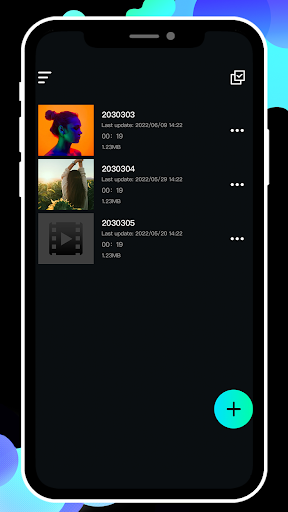
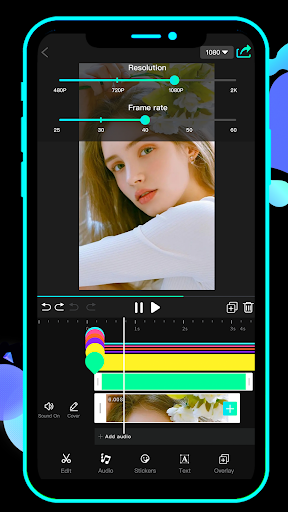
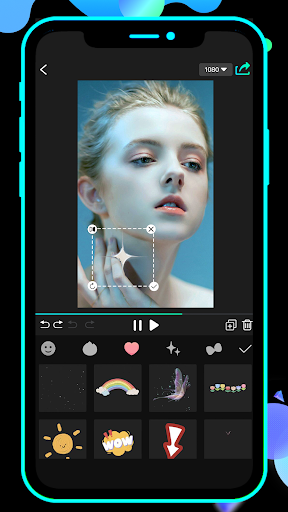
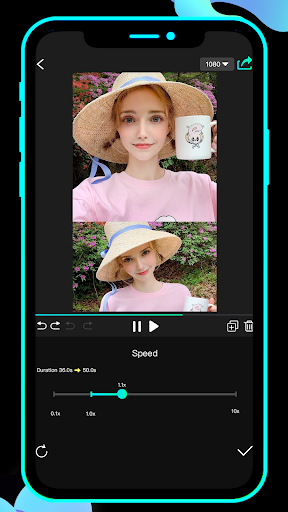
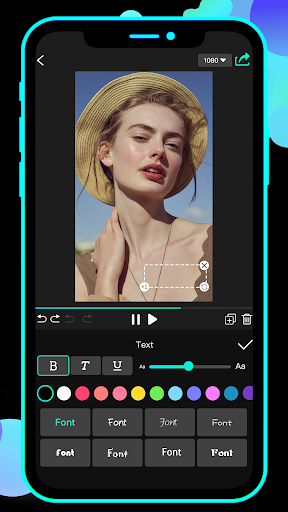
Editorial Note
All app reviews here are 100% independent. We receive no developer compensation or affiliate commissions. Our free site is funded entirely by third-party display ads, explicitly marked as "Sponsored" across the page.
Features of ShakeCut - Video Editor
Newbie-friendly Interface
ShakeCut provides a simple and practical interface, which is a low learning cost for users who are new to video editing.
Extensive Toolkit
You can find all the commonly used video editing tools in ShakeCut's toolbox and learn to use them with the instructions. In addition, it supports video or pictures as material for video production.
Tips
😳 What can I do with ShakeCut?
ShakeCut provides support for commonly used video editing module groups:
- Support fast video segment cutting;
- Support adding video filters;
- Support video detail adjustment.
Adding stickers, adding subtitles, setting different transition effects, and adding music, all available in ShakeCut!
Pros & Cons
- Powerful functions
- Support output of different resolutions
- Support different frame rate output
SPONSORED
Similar Apps

Edits: Video Editor
GET

MP4 downloader - Save Video
GET

Streamlabs: Live Streaming
GET

AI Video Maker With Music
GET

Mivi :Music & Beat Video Maker
GET

HD Video Player All Formats
GET

Video Downloader - Save Videos
GET

Video Downloader - Video Downloader App
GET

Download video no watermark
GET

PLAYit-All in One Video Player
GET









